

How does Google UTM tracking work?
Google UTM tracking means adding utm_source, utm_medium and utm_campaign to a link so Google Analytics 4 records where the visit came from. GA4 reads those values when the page loads and shows them as session source, medium and campaign. Build the link with Google's Campaign URL Builder or a UTM builder.
A tagged link sets the GA4 session source, medium and campaign, the form keeps the same values, and the lead and the closed deal show the campaign.
A UTM parameter is a tag on the end of a URL, after the ?, that names the campaign that sent the click. Google's reference for the parameters GA4 reads is Collect campaign data with custom URLs.
If your links are Google Ads clicks, the setup is different. Use the account's final URL suffix, covered in how to add UTM parameters to Google Ads. This page is about every other link: email, social, partners, print and QR codes.
Which UTM parameters does Google Analytics read?
| Parameter | What it names | Example |
|---|---|---|
utm_source | Where the click came from | newsletter, linkedin, partner-site |
utm_medium | The type of traffic | email, social, qr, referral |
utm_campaign | The campaign or promotion | spring-launch |
utm_term | A keyword, optional | utm-builder |
utm_content | The specific link or creative, optional | header-button |
utm_id | A campaign id, optional | cmp-0142 |
Google's help page lists further optional fields, such as utm_source_platform, utm_creative_format and utm_marketing_tactic. Most teams never need them.
Values are case-sensitive. Newsletter and newsletter are two sources in GA4. Pick lowercase and hyphens, and stick to them.
How do you create a Google UTM link?
- Start from the exact landing page. Use the final URL, not one that redirects. A redirect that drops the query string drops the tags.
- Open a builder. Google's Campaign URL Builder is free and needs no account. Trakt's UTM builder limits source and medium to a fixed list.
- Fill in source, medium and campaign. Add content when you have two links in one email or post and want to compare them.
- Copy the full URL. It looks like this. The names are examples:
https://example.com/demo?utm_source=newsletter&utm_medium=email&utm_campaign=spring-launch&utm_content=header-button
- Click it once yourself. Check the address bar on the landing page still shows every parameter.
- Write the names down. A shared list stops the next person typing
E-mail.
If you want the names kept in one builder and the source kept on every lead that link produces, pre-register for Trakt.
Where do you see UTM data in GA4?
Open Reports → Acquisition → Traffic acquisition. The default dimension is the session's default channel group. Change it to Session source / medium or Session campaign to see your UTM values. GA4 can take some time to process new data, so a link clicked a minute ago may not appear yet.
User acquisition is a different report. It shows the source of each user's first visit, not the current session. A returning visitor who first came from search and now clicked your newsletter appears under search there and under the newsletter in Traffic acquisition.
GA4 sorts traffic into channels such as Email, Organic Social and Paid Search using source and medium. Google documents the rules in Default channel group. A medium the rules do not recognize lands in Unassigned, which is a common reason UTM traffic seems to vanish.
Why is my UTM traffic missing or showing as direct in GA4?
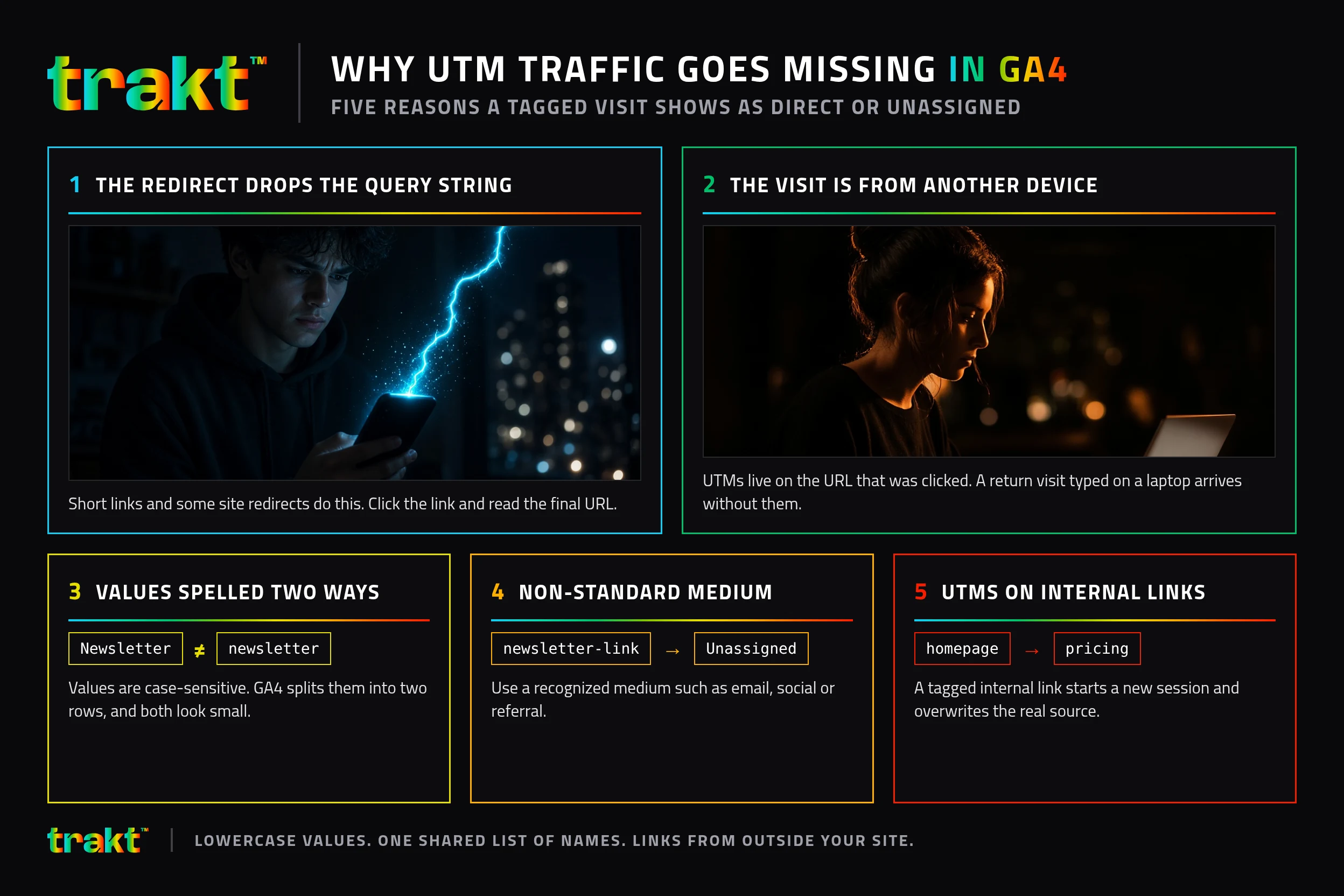
- The redirect drops the query string. Short links and some site redirects do this. Click the link and read the final URL.
- The values are spelled two ways. GA4 splits them into two rows, and both look small.
- The medium is non-standard. GA4 files it under Unassigned. Check the default channel group rules.
- UTMs on internal links. Tagging a link from your own homepage to your own pricing page starts a new session with that source and overwrites the real one. Use UTMs on links that come from outside your site.
- The visit is from another device. UTMs live on the URL that was clicked. A person who clicks on a phone and returns later by typing your domain on a laptop arrives without them.
Google UTM tracking vs. what reaches your CRM
GA4 shows the visit. It does not put the campaign on the lead. A person can arrive with perfect UTMs, fill in a form that sends only name and email, and land in the CRM as Website.
To keep the source on the lead, the form needs to carry the UTM values: hidden fields that copy them from the URL, or a script that remembers the visit. Trakt remembers the UTMs in a first-party cookie for 90 days, so a form submission days later in the same browser still carries them. Trakt records each submission with its source attached, even when the form has no hidden fields, and can inject hidden fields into your forms. Won deal value is credited to the source captured at submission, in Trakt's leads pipeline. Why UTM data disappears at form submission covers the break in detail.
Frequently asked questions
What is a Google UTM?
A Google UTM is a UTM parameter, such as utm_source or utm_campaign, added to a link so Google Analytics can record where the visit came from. The format is not owned by Google, but GA4 reads it and Google publishes the free Campaign URL Builder. The core three are source, medium and campaign.
How do I track UTM parameters in Google Analytics 4?
Add the parameters to the link, then open Reports, Acquisition, Traffic acquisition in GA4 and change the dimension to Session source / medium or Session campaign. GA4 reads the values from the landing page URL automatically. Nothing needs to be set up in GA4 first.
Do I need UTM parameters for Google Ads?
With auto-tagging on, GA4 gets Google Ads data from the gclid when the accounts are linked. Your CRM usually cannot read a gclid, so add UTMs through the final URL suffix as well. The full setup is in the Google Ads UTM guide linked above.
Are UTM parameters case-sensitive in Google Analytics?
Yes. Email and email are separate values in GA4 reports. Use lowercase for every value and a shared list of names so the same channel is never split into two rows.
Why does GA4 show my UTM traffic as Unassigned?
GA4 assigns channels from source and medium using its default channel group rules. A medium it does not recognize, such as newsletter-link, falls into Unassigned. Use a recognized medium such as email, social or referral, and keep the detail in source, campaign or content.
Can I see UTM data on leads, not just in GA4?
Only if the form keeps it. GA4 reports sessions, so the lead in your CRM needs the UTM values passed along with the form submission, through hidden fields or a script that remembers the visit. Then you can group closed deals by campaign.