

You typed a prompt, and Lovable, Bolt or v0 gave you a website. It looks better than the one your last agency charged for. You put the link in your bio, posted about it, and waited.
Then nothing you could measure happened. Maybe some people visited. Maybe one of them wanted to buy. You don't know, because the site has no form, no CRM behind it, and no way to tell a visitor from your LinkedIn post apart from one who found you on Google.
That's normal. AI builders are very good at the page. The part that turns a page into revenue is a few dull steps the prompt never asked for.
How do you turn an AI-built website into revenue?
An AI-built website earns revenue once it captures interest, remembers where each visitor came from, and ties that to a sale. That takes a short form, tagged links, a source on each lead, and a deal value on won customers. Tools like Trakt record each form submission with its source and credit won deal value to it.
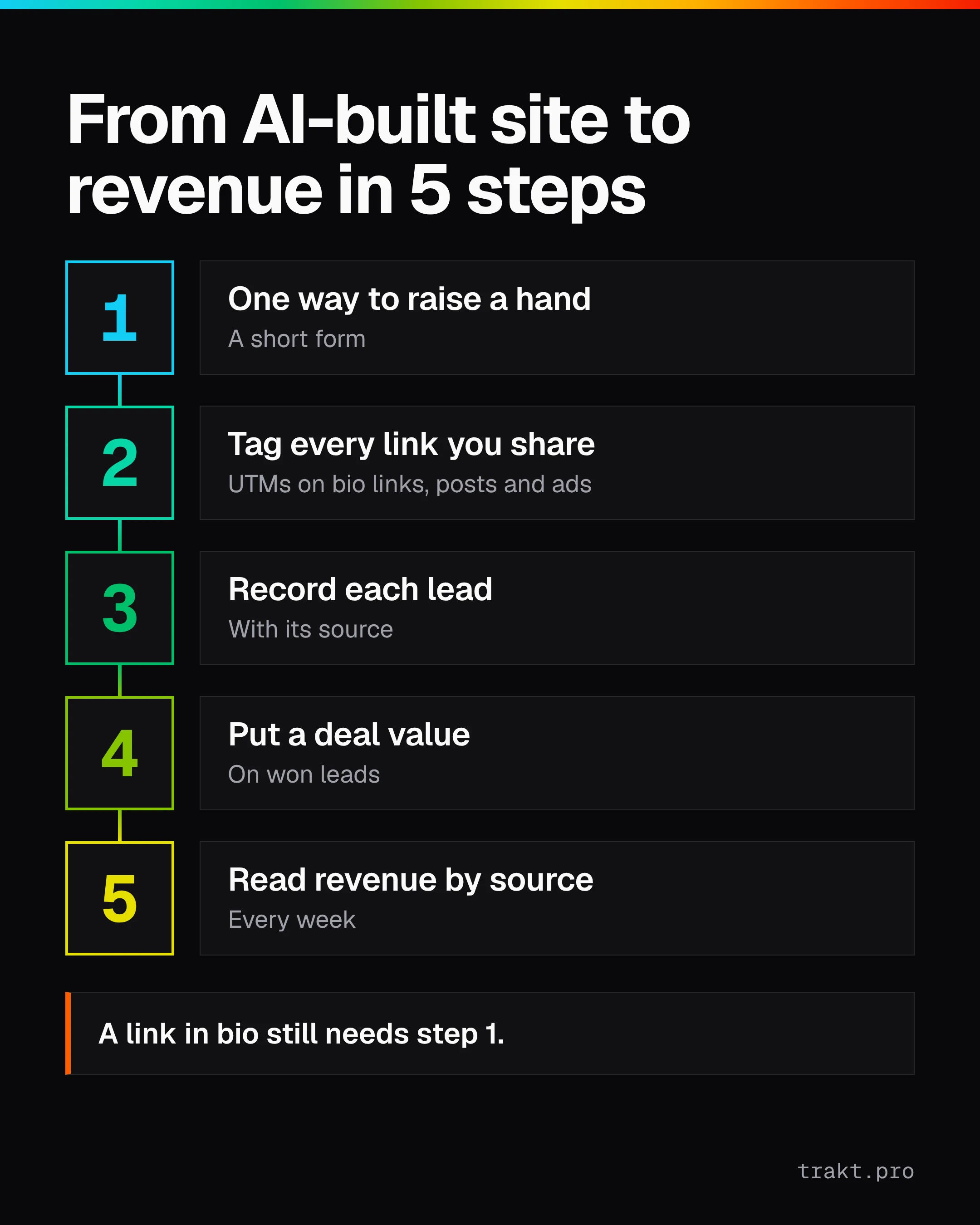
For a Lovable, Bolt or v0 site, that comes down to five steps:
- Give visitors one clear way to raise their hand, usually a short form.
- Tag every link you share so you know which post, ad or bio link sent each visit.
- Record each lead with its source attached.
- Put a deal value on the leads that become customers.
- Read revenue by source every week and do more of what pays.
A shared link brings a visit, the visit leads to a form, the form creates a lead with its source, and won deals then add up to revenue by source.
Why your AI-built site isn't bringing in customers yet
Analytics will tell you people came. It won't tell you who they were, and it can't, because a visit isn't a person until they give you a way to reach them.
Most AI-built sites start in one of three states:
- No form at all. The hero says "Get started," and the button scrolls to a pricing section, or opens an email link nobody clicks.
- A form that goes nowhere useful. It sends an email, or writes a row to a database the builder set up, and the row has a name and an email and nothing else.
- Just a link in bio. The site is one page and the real "funnel" is your Instagram, TikTok or LinkedIn profile.
None of these is broken. They're just missing the parts that let you answer the only question that matters at this stage: which thing I did this week produced someone willing to pay?
Step 1: Give visitors one way to raise their hand
Pick the one action that means "I might buy." A demo request, a waitlist signup, a "get a quote" form. One. Every extra option makes the page harder to read and the data harder to trust.
Keep the form short: name, email, and one question that tells you whether they're a fit (company size, what they need, budget range). You can ask more later, on a call.
You have two routes:
- Ask your builder to make it. Lovable, Bolt and v0 can all generate a form from a prompt. Where the submission goes is the part to check. Lovable, for example, documents a HubSpot integration for sending contacts to a CRM. If you don't have a CRM yet, a builder-made form often writes to a database table or sends an email.
- Embed a form from a form tool, including Trakt's own form embeds (more on that below).
Whichever you choose, test it: submit it yourself and find the submission. If you can't find it in under a minute, a real lead won't get a reply either.
Step 2: Tag every link you share
A UTM parameter is a tag added to the end of a link that says where the click came from. utm_source is the platform, utm_medium the type of channel, utm_campaign the specific push.
So the link in your LinkedIn post isn't yoursite.com. It's:
yoursite.com/?utm_source=linkedin&utm_medium=social&utm_campaign=launch_post
Do this for every place you share the site: each social bio, each post you care about, your email signature, any ad. Keep values lowercase and consistent, because LinkedIn and linkedin count as two different sources in most reports.
The Trakt UTM builder makes these links in a few seconds and keeps the naming consistent. For print, events or packaging, the QR code generator turns a tagged link into a code. The longer version of why consistency matters is in how UTM data gets lost on form submission.
Step 3: Record each lead with its source
Here's where most setups quietly fail. The visitor arrives with UTMs in the address bar. They click to your pricing page. The UTMs are gone from the URL. They fill in the form, and the lead lands with no idea where it came from.
To fix it by hand, you need code that stores the UTMs when someone lands, plus hidden fields in the form that get filled from that storage on submit. You can prompt your AI builder to write this. Then you have to test it on every form, every time the builder regenerates the page.
If your leads already show up as "Direct" or with no source, why leads show as Direct walks through the usual causes.
Step 4: Put a deal value on the leads that become customers
A list of leads is a vanity metric until some of them pay. When a lead becomes a customer, write down what the deal was worth. Rough is fine. A $3,000 first contract is enough information.
This is the step that turns "LinkedIn sent 40 visits" into "LinkedIn sent one customer worth $3,000," which is a sentence you can make a decision from. (Those numbers are illustrative.)
Step 5: Read revenue by source every week
Once a week, look at three columns: source, leads, and won revenue. Not sessions, not bounce rate, not time on page.
Then do the obvious thing. Post more where the revenue came from. Stop paying for the source with plenty of leads and no customers. If everything still says "Direct," go back to Step 2 and Step 3 before you change anything else.
If you'd rather not maintain the storage code and the spreadsheet yourself, start free with Trakt.
What changes with a link in bio
If your site is mostly a destination for a social profile, the bio link is your whole top of funnel. Two practical points:
- Tag the bio link itself, with
utm_sourceset to the platform (instagram,tiktok,linkedin). Otherwise all that traffic arrives looking like it came from nowhere. - Use a different campaign value when you change what you're promoting, so you can see which version of the bio actually brought leads.
A link in bio still needs Step 1. A page of links without a way to raise a hand gets clicks, not customers. More on that in tracking Linktree clicks through to a lead.
Why the manual route breaks in practice (and how Trakt helps)
The manual version works. A form, a UTM convention, some storage code and a spreadsheet will get you to Step 5. The trouble is maintenance. AI builders regenerate pages, and every regeneration is a chance for the hidden fields or the storage code to vanish without anyone noticing. You find out weeks later, when every lead says "Direct."
How Trakt closes the gap
Trakt builds consistent UTM links, QR codes and short links, so Step 2 stops depending on everyone remembering the naming rules.
Trakt's tracking snippet remembers the UTMs in a first-party cookie, so a form submission days later in the same browser still carries them (for 90 days). It records each form submission with its source attached, even when the form has no hidden fields. Trakt's own form embeds can also fill hidden inputs with values like utm_source, utm_campaign and the page URL. Won deal value is credited to the source captured at submission, in Trakt's leads pipeline, which covers Steps 3 to 5 without a CRM.
On AI builders specifically: Trakt works with AI-built sites, including Lovable, Bolt and v0. Add the Trakt snippet to your site, or use a Trakt link or a Trakt form.
A few things Trakt doesn't do, so you can plan around them: it gives each lead one source (the latest tagged source in that browser), it doesn't link visits across devices, and it doesn't sync leads into HubSpot or another CRM.
Manual vs. Trakt, by requirement
| Requirement | Manual | Trakt |
|---|---|---|
| Consistent tagged links | A naming doc and discipline | UTM builder, QR codes and short links |
| UTMs kept between pages and visits | Storage code you maintain | First-party cookie, 90 days, same browser |
| Source saved with each lead | Hidden fields in every form | Recorded with each form submission |
| Revenue by source | Spreadsheet you update by hand | Won deal value credited to the captured source |
| A visitor on phone, then laptop | Not linked | Not linked |
| Having a form people want to fill in | Same either way | Same either way |
What to do this week
Tonight: pick the one action that means "I might buy" and make sure your site has a form for it. Tomorrow: retag your bio link and your next post with UTMs. Then send yourself a test lead through a tagged link and check that the source is on it. If it is, you have a pipeline. If it isn't, that's the first thing to fix.
FAQ
How do I add analytics to a Lovable website?
Your builder's own docs are the place to check how to add an analytics or tracking script to every page, because it varies by tool and changes often. Analytics shows visits, though, not leads. To see which source brings customers, you also need a form and tagged links, and a way to keep the source with each lead.
How do I add a contact form to a Lovable, Bolt or v0 site?
Ask the builder to generate one, or embed a form from a form tool. Then check where submissions go: an email, a database table or a connected CRM. Lovable documents a HubSpot integration for sending contacts to a CRM. Whatever you pick, submit a test entry and confirm you can find it.
Do I need a CRM for my AI-built website?
Not on day one. You need a place where each lead lands with its source and, later, what the deal was worth. A spreadsheet can do that if you keep it up. A CRM becomes worth it when several people work the same leads.
How do I track which link in bio brings customers?
Add UTM parameters to the bio link on each platform, with utm_source set to the platform name. Keep the source on the lead when they submit your form, then mark which leads became customers. Without that last step you know which bio got clicks, not which one got paid.
Does Trakt work with Lovable, Bolt or v0?
Yes. Trakt works with AI-built sites, including Lovable, Bolt and v0. Add the Trakt snippet to your site, or use a Trakt link or a Trakt form. Tagged links and QR codes work with any site, because they only change the links you share.